
P6388 Login – Your Account Deserves a Clear Way In
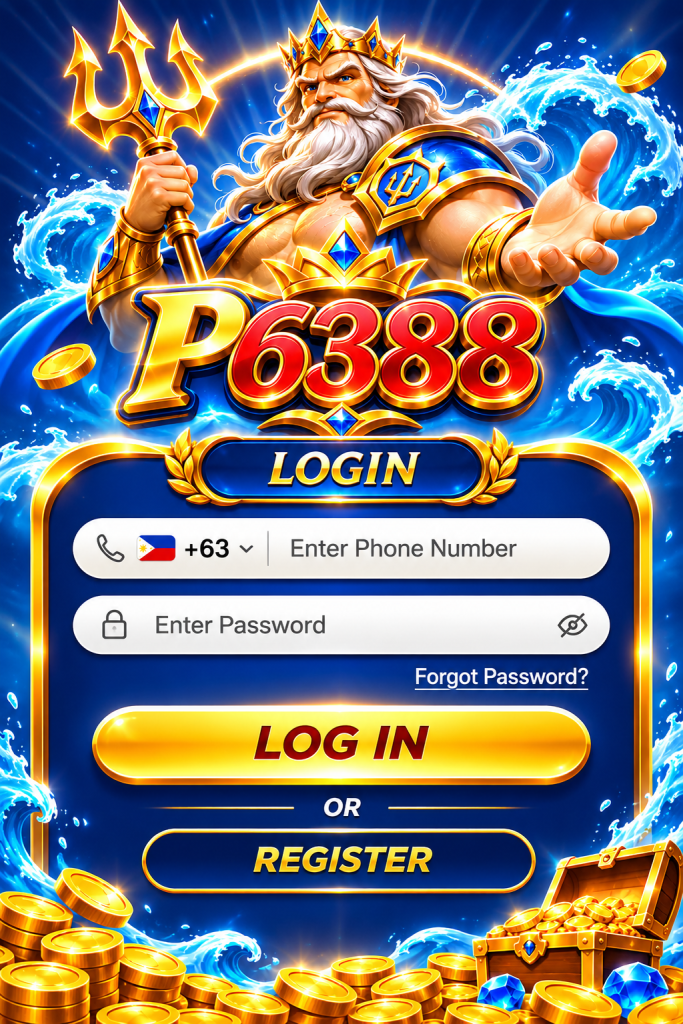
P6388 Login is the account access service of the P6388 online slot gaming platform in the Philippines. It provides registered users with a dedicated entry point for accessing their personal accounts, reviewing account information, managing security settings, and using available platform services through compatible mobile and desktop devices.
At P6388, we believe that account access should be straightforward without compromising personal privacy. A login page should do more than accept a username and password. It should help users recognize the correct access channel, understand verification requirements, resolve unexpected difficulties, and maintain control over their account information.
Whether you are returning after a period of inactivity, switching to a new smartphone, or experiencing difficulty signing in, this guide explains the practical aspects of accessing and protecting your P6388 account.
Account Access Begins with Knowing Where You Are
One of the most important aspects of signing in is recognizing the website you are using. An unfamiliar page may display the P6388 name, reproduce its visual identity, or present a convincing login form without being associated with the genuine platform.
Before entering personal credentials, take a moment to examine the website address and its connection to the authorized operator.
A trustworthy login environment should provide a recognizable interface, understandable account instructions, accessible privacy information, and a clear method of requesting assistance.
Our approach to account access emphasizes three principles: clarity, privacy, and personal control. Users should understand what information is required, why verification may be necessary, and what to do when something does not work as expected.
P6388 Login at a Glance
| Account Access Information | Description |
|---|---|
| Platform | P6388 |
| Page Function | Registered account access |
| Primary Market | Philippines |
| Login Credentials | Registered account identifier and password |
| Mobile Country Code | +63 for Philippine mobile numbers |
| Access Methods | Compatible browser or officially supported application |
| Supported Devices | Android, iOS, tablets and computers |
| Security Verification | Subject to account requirements |
| Password Recovery | Through available account recovery procedures |
| Account Assistance | Designated customer support channels |
| Language | English |
| User Eligibility | Subject to applicable legal and platform requirements |
Specific login fields and verification procedures may vary depending on the current platform interface and individual account status.
What You Should Prepare Before Signing In
Most account access difficulties begin with relatively simple issues, such as outdated credentials, incorrect mobile numbers, unstable internet connections, or unfamiliar browser settings.
Preparing the necessary information beforehand can help prevent unnecessary interruptions.
Before accessing your account, make sure that you have:
- Your registered account identifier or mobile number.
- Your current account password.
- Access to your registered contact information.
- A compatible and updated browser.
- A stable and preferably private internet connection.
- The verified P6388 website address.
If your account uses a Philippine mobile number, check whether the login form already includes the +63 country code.
For example, if the country code is displayed separately, entering it again may result in an incorrectly formatted mobile number. Always follow the format indicated by the actual login field.
How to Access Your P6388 Account
The P6388 Login process is intended for existing account holders who need to access their personal information and available account services.
Step 1: Confirm the Website Address
Open the verified P6388 website through your preferred browser. Examine the domain carefully and avoid accessing account forms through unfamiliar messages or unsolicited links.
Step 2: Locate the Login Section
Find the Login option within the website navigation. Its position may differ slightly between mobile and desktop layouts.
Step 3: Enter Your Registered Account Information
Provide the account identifier associated with your existing P6388 account.
If the platform requests a mobile number, follow the displayed country code and number format.
Step 4: Enter Your Password
Type your current password carefully. Check for unintended spaces, incorrect capitalization, or outdated information entered automatically by your browser.
Step 5: Complete Security Verification
Depending on your account status, device, or access conditions, additional verification may be required.
Complete only the verification procedures presented through the authenticated platform.
Step 6: Review and Submit
Confirm that your account information is correct before submitting the login form.
If an error appears, read the notification carefully rather than repeatedly submitting the same information.
Step 7: Review Your Account
After successful authentication, check your account details and recent activity for unfamiliar changes.
If anything appears inconsistent, contact the designated assistance channel before performing further account actions.
Choosing the Right Account Access Method
Not every device offers the same browsing experience. Screen size, operating system, browser settings, and software compatibility can influence how a login page behaves.
The following comparison explains the practical differences between common access methods.
| Access Parameter | Mobile Browser | P6388 APP* | Desktop Browser |
|---|---|---|---|
| Installation | Not required | Required | Not required |
| Interface | Touch-based | Application interface | Expanded screen layout |
| Storage Usage | Generally limited | Application-dependent | Browser-dependent |
| Software Updates | Browser updates | Application updates | Browser updates |
| Password Management | Browser-dependent | Application-dependent | Browser-dependent |
| Device Permissions | Browser-controlled | Application-specific | Browser-controlled |
| Account Verification | Subject to requirements | Subject to requirements | Subject to requirements |
*Application access depends on official availability and device compatibility.
The appropriate access method depends on your device, personal privacy requirements, and the purpose of your account session.
Regardless of the method, website authenticity and credential protection remain essential.
When P6388 Login Does Not Work
An unsuccessful login attempt does not automatically mean that your account has been disabled. Several technical and account-related conditions can prevent authentication.
Understanding the difference between these conditions can help you identify the appropriate solution.
| Login Issue | Possible Cause | Recommended Solution |
|---|---|---|
| Incorrect credentials | Typing error or outdated password | Review your account information |
| Invalid mobile number | Incorrect country code or number format | Check the registered number |
| Login page remains blank | Browser or connection problem | Restart or update the browser |
| Verification code delayed | Network or message delivery issue | Check your registered contact details |
| Login button does not respond | Browser script or compatibility issue | Restart the browser |
| Account temporarily restricted | Security or compliance review | Contact authorized assistance |
| Session expires unexpectedly | Inactivity or connection interruption | Review your session status |
| Password autofill fails | Previously saved credentials | Check the information manually |
| Security warning appears | Certificate or website authenticity issue | Stop accessing the page |
Avoid treating every login error as a password problem. Identifying the actual cause can prevent unnecessary password resets and repeated authentication failures.
Recovering Access Without Creating Another Account
Forgetting a password can happen to anyone, particularly when an account has not been accessed for an extended period.
At P6388, account recovery should focus on confirming legitimate ownership rather than simply restoring access as quickly as possible.
If you cannot remember your password, use the available recovery option on the verified website. You may be asked to confirm information associated with your existing account before setting a replacement password.
A new password should be different from your previous credentials and should not be reused across unrelated websites.
If you no longer have access to your registered mobile number or other recovery information, request assistance through the designated platform contact channel.
Creating another account is not an appropriate substitute for recovering an existing one. Duplicate accounts may complicate identity verification, account ownership, and activity records.
Why Your Browser May Affect P6388 Login
Many account access difficulties originate from the browser rather than the account itself.
Browsers temporarily store website information to improve loading performance. Over time, outdated cached files or conflicting settings may interfere with newer website functions.
Cached Website Information
An outdated cache may cause buttons, forms, or navigation elements to display incorrectly.
If the login page appears incomplete, clearing the relevant website cache may help resolve the issue. Be aware that clearing cookies may also remove existing login sessions.
Outdated Browser Versions
Older browsers may not fully support current website security standards or page functions.
Keeping your browser updated can improve compatibility and reduce exposure to known security vulnerabilities.
Browser Extensions
Certain extensions may interfere with website scripts, verification forms, or page rendering.
If an extension appears to cause a problem, review its settings. Do not disable essential security protections simply to access an unfamiliar website.
Automatic Password Entry
Password managers and browser autofill functions may retain credentials that are no longer current.
If authentication repeatedly fails, check whether the automatically entered information matches your existing account credentials.
Account Access Across Android, iOS and Desktop
P6388 users may access account services through different devices depending on their personal circumstances.
Understanding device-specific considerations can help users maintain consistent security practices.
| Device | Common Browser | Important Considerations |
|---|---|---|
| Android Smartphone | Google Chrome | Software updates and browser compatibility |
| iPhone | Safari | Website settings and current iOS version |
| Android Tablet | Google Chrome | Screen scaling and available memory |
| iPad | Safari | Browser layout and session management |
| Windows Computer | Chrome or Microsoft Edge | Browser updates and device security |
| Mac Computer | Safari or Chrome | Operating system compatibility |
Exact minimum operating system requirements should be confirmed through the platform’s published technical specifications.
An older device may still display a website but fail to support certain authentication or verification functions.
Keeping Your P6388 Account Under Your Control
Account protection is not limited to choosing a strong password. It also involves understanding how credentials are stored, where account information is entered, and who has access to your devices.
Use a Password That Belongs Only to P6388
Reusing passwords across multiple services increases the risk of unauthorized access if another website experiences a security incident.
A unique password reduces the connection between your P6388 account and unrelated online accounts.
Keep Verification Information Private
Verification codes are intended to confirm account ownership or authorize specific actions.
Do not provide these codes to another person, including someone claiming to represent customer assistance.
Avoid Saving Credentials on Shared Devices
A shared computer or borrowed smartphone may retain account information through browser settings.
If you must access personal account records from a shared device, avoid saving credentials and sign out completely afterward.
Review Unfamiliar Account Activity
Unexpected changes to account information, unfamiliar sessions, or verification messages you did not request should be treated seriously.
Change compromised credentials and contact the appropriate assistance channel if unauthorized access is suspected.
Understanding Login Notifications and Account Messages
A login notification provides information about the current authentication process. Its purpose is to help users understand whether an action has succeeded, failed, or requires additional attention.
| Notification | General Meaning |
|---|---|
| Invalid Credentials | Submitted information does not match account records |
| Verification Required | Additional ownership or security confirmation is needed |
| Session Expired | The previous authentication session is no longer active |
| Account Restricted | Access may be limited pending review |
| Connection Error | Communication between the device and website was interrupted |
| Service Unavailable | A platform function may be temporarily inaccessible |
| Too Many Attempts | Repeated authentication requests may have triggered a restriction |
The exact meaning of each notification depends on the platform’s current implementation.
When a message is unclear, record its wording and seek clarification rather than attempting to bypass the restriction.
Recognizing Legit P6388 Login Channels
A legit P6388 Login channel should be associated with the authorized platform operator and its verified website.
The presence of a familiar brand name, attractive interface, or HTTPS connection alone is not sufficient evidence of authenticity.
When evaluating an account access page, consider whether the website provides consistent operator information, accessible privacy policies, recognizable account procedures, and verifiable contact details.
P6388’s stated PAGCOR licensing information should also correspond with the operator and domain listed in the relevant regulatory records.
Our approach to account security emphasizes informed access rather than relying on visual familiarity alone.
Users should never submit personal information through a page whose ownership cannot be established.
What Happens When You Change Devices?
Moving from an existing smartphone to a new device may affect how an account session is recognized.
Previously stored browser information, saved passwords, and device-specific settings may not transfer automatically.
Additional verification may also be required when an account is accessed under unfamiliar conditions.
Before replacing or selling an old device, remove saved account credentials, sign out of personal accounts, and securely erase personal information where appropriate.
If the previous device has been lost or stolen, review your account security promptly and request assistance if you suspect unauthorized access.
Getting Meaningful Assistance with Account Problems
A useful support request begins with an accurate description of the problem.
Rather than simply stating that P6388 Login is not working, explain what happens when you attempt to access your account.
The following information can help establish the nature of an account-related concern.
| Information to Provide | Why It Matters |
|---|---|
| Registered Account Identifier | Helps identify the affected account |
| Device Model | Provides technical context |
| Operating System | Helps assess compatibility |
| Browser Name | Identifies potential browser-related issues |
| Date and Time | Helps establish when the issue occurred |
| Error Notification | Provides specific information about the failure |
| Previous Troubleshooting | Prevents unnecessary repetition |
| Relevant Screenshot | Helps illustrate the problem |
Never include your password, verification code, or full financial credentials in a support message.
If a screenshot contains confidential information, conceal those details before sharing it.
Frequently Asked Questions About P6388 Login
1. Can I change my registered account identifier?
Whether an account identifier can be changed depends on the platform’s account management policies. Some identifiers may be permanently associated with identity verification records.
Contact the designated assistance channel to understand the available options before attempting to create a replacement account.
2. Will signing out remove my account information?
No. Signing out generally ends the current authentication session rather than deleting the registered account.
Account records remain subject to the platform’s applicable privacy policy, retention requirements, and account management procedures.
3. Why does the login page display a different language?
The displayed language may be influenced by browser preferences, stored website settings, or the platform’s available language options.
Check whether an appropriate language selection is available. An unexpected change in language should also prompt you to confirm that you are accessing the correct website.
4. Can I access my account if my mobile number is registered under another person’s name?
Account verification may require consistency between the registered account holder and supporting identity information.
If the mobile number is associated with another person, request clarification regarding the platform’s ownership and verification requirements.
5. Does closing my browser automatically sign me out?
Not necessarily. Some websites retain authentication sessions through cookies or other session management functions.
Closing a browser does not always terminate an active session. Use the designated logout function, especially when accessing account information on a shared device.
6. What happens if my account has been inactive for several months?
Long periods of inactivity may result in additional verification requirements or account restrictions, depending on the applicable platform policies.
Contact customer assistance if your existing credentials no longer provide access. Do not assume that the account has been permanently deleted.
7. Can I request a record of my previous account activity?
Depending on the platform’s available account functions and applicable privacy requirements, users may be able to review or request certain personal account records.
Additional identity confirmation may be necessary before such information can be released.
8. Can I access my account solely to request account closure?
Account holders who wish to discontinue their use of the platform should be able to request information about account closure through the appropriate assistance channel.
If login access is unavailable, contact the designated support service to understand alternative ownership verification and closure procedures.
P6388 Login – Keeping Account Access Clear and Personal
A dependable account access experience begins with understanding the relationship between your credentials, personal information, device, and the platform itself.
At P6388, our approach to account access places clarity and personal control at the center of the user experience. Players should understand how to identify authentic access channels, interpret account notifications, protect confidential information, and obtain assistance when unexpected difficulties arise.
The purpose of P6388 Login extends beyond opening an account session. It is about maintaining an understandable connection between registered users and their personal account information.
By keeping credentials private, using compatible devices, recognizing unfamiliar activity, and following appropriate verification procedures, users can make more informed decisions about their account security.